
Distributing Driver Source Code
By default, Nimbus-generated driver installers include a Source Code * feature* that the end-user can use to optionally install the driver’s source code in addition to the standard IVI driver components. When the end user runs the driver installer, a feature selection dialog like the one shown in Figure 1 will be displayed.
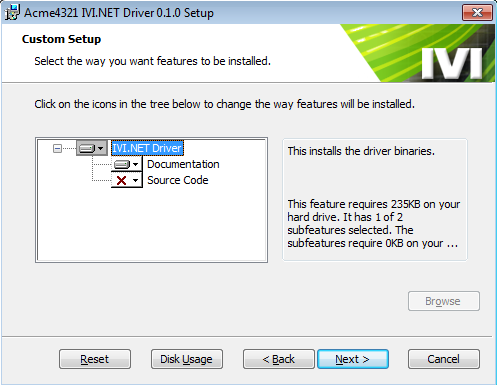
Figure 1: The Default Driver Installer Feature Dialog
The end user may choose to include the source code feature at this time (opt in model), or they may choose to use the Windows Add/Remove Programs Change command to install the driver source at a later time.
Follow the instructions below to modify the driver installer so that the source code feature is enabled by default (opt out model), or remove the source code feature from the driver installer altogether.
Remove the source feature completely
Section titled “Remove the source feature completely”-
Open the General Page of the setup project’s Project Properties.
-
Uncheck the checkbox labeled Distribute driver source code with installer.
Enable the source feature by default (opt out model)
Section titled “Enable the source feature by default (opt out model)”-
Expand the driver setup project node in the Solution Explorer.
-
Right click on Setup.wxs and select View Code.
-
Locate the
\<Feature\>element that has an Id attribute equal toSourceFeature. -
Change the
Levelattribute of that\<Feature\>to 3 (the default value is 100). -
Save and close Setup.wxs.
-
Verify that you can build the driver setup project, and open the driver setup designer (by double clicking on Setup.wxs) without error before making any further modifications to the driver setup project.